

Social media marketing is no longer just about posting consistently. In 2026, AI marketing tools for social media are transforming how brands create content, analyze performance, and scale engagement across platforms like Instagram, Facebook, TikTok, LinkedIn, and YouTube.
Artificial intelligence now helps marketers generate captions, discover trending topics, optimize posting times, analyze audience behavior, and even predict content performance. What once required hours of manual effort can now be handled intelligently through automation.
If you struggle with:
- Running out of social media content ideas
- Managing multiple platforms manually
- Low engagement despite consistent posting
- Poor ad performance
- Spending too much time on analytics
AI-powered social media tools can significantly reduce workload while improving results.
This guide explains everything you need to know about AI social media marketing tools — how they work, what types exist, how to choose the right one, and which tools are worth considering in 2026.
Whether you are a small business owner, content creator, affiliate marketer, or agency, this pillar guide will help you understand how to use AI strategically to grow your social presence more efficiently.
What Are AI Marketing Tools for Social Media?
AI marketing tools for social media are software platforms that use artificial intelligence to help you plan, create, publish, and optimize social content more efficiently. Instead of doing everything manually—brainstorming ideas, writing captions, choosing hashtags, scheduling posts, and reviewing analytics—AI tools can handle large parts of the workflow and make smarter recommendations based on performance data.
The goal isn’t to “replace” your social media strategy. The goal is to reduce the busy work, speed up content production, and improve results by using data-driven suggestions that are hard to do consistently by hand.
How AI Is Changing Social Media Marketing
AI has changed social media marketing by improving the five areas that consume the most time and influence performance the most.
Content generation
AI can generate post ideas based on your niche, audience, and platform. It can also repurpose existing content—turning a blog article into Instagram captions, LinkedIn posts, or short video scripts—so you create more content from the same core idea.
Caption writing
Instead of writing captions from scratch every time, AI can draft multiple variations in different tones (professional, casual, persuasive, witty) while keeping the message aligned with your goal—engagement, clicks, or conversions. With the right inputs, it can also mimic your brand voice more consistently.
Hashtag research
Many AI tools analyze topic relevance, competition, and trends to suggest hashtags that balance reach with discoverability. This helps you avoid using either overly generic hashtags that get buried quickly or ultra-niche hashtags that don’t bring visibility.
Predictive analytics
AI can identify patterns in your performance data and predict which formats, topics, hooks, or posting times are likely to perform best. Instead of only looking backward at metrics, predictive insights help you decide what to post next with more confidence.
Automated posting
AI-powered schedulers go beyond basic scheduling. They can recommend optimal publishing windows based on when your audience is active, automatically queue content across platforms, and even recycle evergreen posts. This makes consistent posting easier without turning your social feed into a robotic autopilot.
Key Benefits of AI Tools
When used strategically, AI marketing tools for social media deliver clear advantages—especially if you manage multiple platforms or post frequently.
Save time
AI reduces the time spent on brainstorming, drafting captions, creating variations, and scheduling. This frees you up to focus on strategy, community interaction, and higher-quality creative.
Improve engagement
By testing different hooks, formats, and caption styles faster, AI helps you learn what your audience responds to—and repeat what works. Many tools also improve consistency, which is a major engagement driver over time.
Data-driven decisions
Instead of guessing what to post, AI tools use performance data to suggest content themes, posting times, and optimization opportunities. This makes your social strategy more systematic and less random.
Personalization at scale
AI can tailor messages for different platforms and audiences while keeping your core branding consistent. That means you can speak to multiple segments—without rewriting everything from scratch.
Types of AI Marketing Tools for Social Media
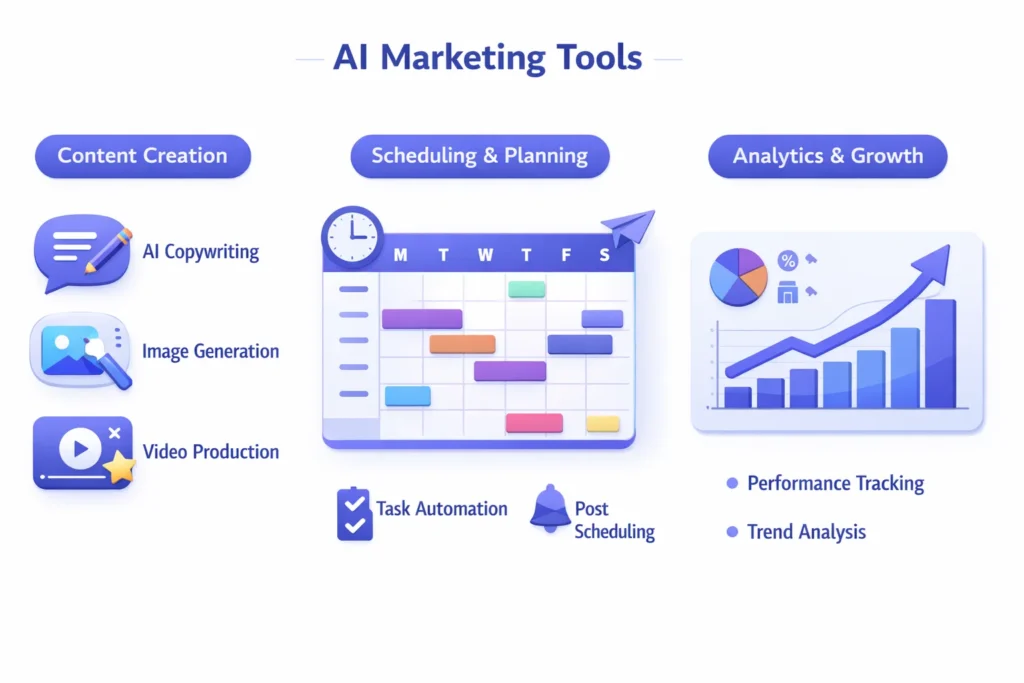
Not all AI social media tools do the same job. Some focus on creating content, others on scheduling and automation, and others on analytics or paid ads. Understanding these categories makes it easier to choose the right tool—or build a simple stack that covers everything without paying for features you’ll never use.
AI Content Creation Tools
These tools help you produce social content faster by generating ideas and drafts you can edit and publish. They are especially useful if you post frequently, manage multiple accounts, or want to repurpose one piece of content into many platform-specific versions.
Caption generators
AI caption tools create captions in different tones (professional, casual, storytelling, persuasive) and can produce multiple variations for A/B testing. The best ones let you input your brand voice, target audience, and goal (engagement, clicks, sales) so the captions don’t sound generic.
Script generators
Script tools help with short-form video scripts for TikTok, Reels, Shorts, and even YouTube. They can generate hooks, talking points, transitions, and CTAs. This is ideal if you want to scale video content without spending hours writing.
Post idea generators
Idea generators are designed to solve “what should I post today?” They suggest content themes, series ideas, carousel outlines, and weekly content plans based on your niche and target audience. Many also pull inspiration from trends or high-performing content formats.
Image & video AI tools
These tools help you create or enhance visuals for social media. Depending on the platform, they can generate social graphics, thumbnails, short clips, background removals, subtitles, and editing improvements. Visual tools are especially valuable for brands that need consistent creative output.
AI Scheduling & Automation Tools
These tools handle the publishing side of social media—helping you stay consistent without manually posting every day. They’re best for creators, businesses, and agencies that run multiple platforms and want reliable workflows.
Smart scheduling
Smart scheduling uses AI or performance data to recommend when to publish, how frequently to post, and what type of content to rotate. Some tools auto-fill your calendar based on a queue and adjust scheduling based on engagement trends.
Optimal posting times
Instead of generic “best time to post” advice, AI scheduling tools analyze your own account data to find the times your audience actually engages. This often improves reach and engagement, especially on Instagram, LinkedIn, and Facebook.
Auto-reposting
Auto-reposting (or evergreen recycling) republishes your best content after a set time, often with variations. This is useful for evergreen tips, tutorials, and value posts that remain relevant. The key is to avoid overdoing it—smart tools help you rotate posts so your feed doesn’t look repetitive.
AI Analytics & Insights Tools
Analytics tools help you understand what’s working and why—then turn that into clear next steps. The biggest difference between basic analytics and AI analytics is that AI can interpret patterns and surface recommendations instead of just showing charts.
Engagement analysis
AI engagement tools analyze content performance and highlight what drives results: topics, hooks, post formats, captions, hashtags, and posting times. Many can also identify drop-off patterns so you can fix weak content styles.
Competitor tracking
Competitor tracking tools monitor similar accounts in your niche and reveal what content themes, formats, and frequency appear to perform well. This helps you spot content gaps and trends before they become saturated.
Predictive performance
Some AI platforms can predict which posts will likely perform well before you publish—based on historical engagement and audience behavior. This is useful for planning campaigns, product launches, and content series where you want consistent results.
AI Ad Optimization Tools
If you run paid ads, AI ad tools can reduce guesswork and speed up testing. They’re most useful when you want better performance without becoming a full-time media buyer.
AI copy testing
These tools generate multiple ad copy variations and help test different headlines, hooks, angles, and CTAs. They can also suggest improvements based on engagement and conversion signals.
Audience targeting
AI targeting tools assist with creating and refining audience segments, lookalikes, interests, and retargeting groups. Some identify audience patterns that are hard to catch manually, especially across multiple campaigns.
Budget allocation
Budget tools help optimize spend across ad sets and creatives by shifting budget toward what performs best. This can be valuable when you’re running multiple campaigns and don’t want to micromanage budgets every day.
Best AI Marketing Tools for Social Media (Detailed Breakdown)
Canva – Best for Quick Social Design + AI Visuals
Overview
Canva is one of the easiest ways to create professional social posts, stories, ads, and thumbnails—especially for beginners. Its AI features speed up design, generate copy, and help you build consistent brand visuals fast.
Key Features
- Social templates for all major platforms
- AI-assisted design and layout suggestions
- Brand kit and reusable templates
- Easy resizing for multiple platforms
Pricing
Free plan available; paid plans unlock premium templates, brand tools, and advanced features.
Pros
- Extremely beginner-friendly
- Fast content production
- Great templates for consistent branding
Cons
- Advanced users may want deeper control
- Some best assets are locked behind paid plans
Who It’s Best For
Creators, small businesses, agencies producing lots of social graphics quickly.
Buffer – Best for Simple Scheduling + Publishing
Overview
Buffer is a lightweight social media scheduler that helps you plan and publish posts consistently. It’s ideal if you want a clean workflow without complexity.
Key Features
- Post scheduling across multiple platforms
- Content calendar and queue system
- Team collaboration options
- Basic analytics for performance tracking
Pricing
Free starter options may be available; paid plans scale by accounts and features.
Pros
- Simple and reliable
- Great UI and quick setup
- Easy queue-based posting
Cons
- Advanced AI features may be limited compared to newer tools
- Analytics may feel basic for heavy data users
Who It’s Best For
Beginners, solo creators, and small teams who want consistent posting without a steep learning curve.
Hootsuite – Best for Teams Managing Multiple Accounts
Overview
Hootsuite is a powerful platform for managing multiple social accounts at scale. Many businesses use it to schedule, monitor conversations, and manage workflows in one place.
Key Features
- Multi-platform scheduling
- Social inbox for replies and mentions
- Team approvals and permissions
- Reporting and analytics dashboards
Pricing
Typically positioned as a premium tool; pricing depends on team size and features.
Pros
- Built for teams and agencies
- Strong publishing + monitoring tools
- Robust reporting
Cons
- Can feel expensive for solo users
- More features than some users need
Who It’s Best For
Agencies, brands with multiple accounts, and teams that need approvals and monitoring.
Sprout Social – Best for Deep Analytics + Audience Insights
Overview
Sprout Social is known for strong reporting, analytics, and audience insights. It’s a good choice if your decision-making depends heavily on data and performance trends.
Key Features
- Advanced reporting and insights
- Engagement monitoring and smart inbox
- Team workflows and approvals
- Social listening features (depending on plan)
Pricing
Usually premium-priced; targeted toward businesses and agencies.
Pros
- Excellent analytics and reporting
- Strong for client reporting
- Reliable workflows for teams
Cons
- Not ideal for low budgets
- More advanced than most beginners need
Who It’s Best For
Data-driven marketers, agencies, and businesses that need deep reporting.
Later – Best for Instagram Planning + Visual Calendar
Overview
Later focuses on visual planning and scheduling, making it especially useful for Instagram-heavy strategies. It helps you build a consistent grid and schedule content with less manual effort.
Key Features
- Visual content calendar
- Instagram-focused scheduling tools
- Media library for organizing creatives
- Posting workflows for content teams
Pricing
Free/entry plans may exist; paid plans scale based on features and accounts.
Pros
- Great for Instagram-first brands
- Visual planning makes workflows easier
- Clean interface
Cons
- Less ideal if your focus is mostly LinkedIn or long-form platforms
- Analytics depth varies by plan
Who It’s Best For
Instagram creators, ecommerce brands, and visual-first content strategies.
Metricool – Best for Content Performance Tracking + Multi-Platform Insights
Overview
Metricool is a solid tool for tracking performance across multiple social platforms. It’s often used for analytics, reporting, and content planning in one dashboard.
Key Features
- Cross-platform analytics
- Reporting and performance dashboards
- Scheduling and calendar tools
- Competitor tracking (varies by plan)
Pricing
Free plan may be available; paid plans unlock full reporting features.
Pros
- Strong value for analytics
- Helpful reporting dashboards
- Works well for multi-platform marketing
Cons
- Interface and features can vary depending on platform connections
- Some AI features depend on updates and plan levels
Who It’s Best For
Creators and marketers who want analytics + scheduling in one tool without premium enterprise pricing.
ChatGPT – Best for Captions, Hooks, and Content Repurposing
Overview
ChatGPT is powerful for ideation, captions, hooks, carousel outlines, script drafts, and repurposing content across platforms. It works best when you give clear inputs and edit the output to fit your brand voice.
Key Features
- Caption and hook generation
- Content calendar ideas
- Script writing for short-form video
- Repurposing blogs into posts and threads
Pricing
Free and paid tiers depending on usage and features.
Pros
- Extremely versatile
- Fast idea generation and rewriting
- Great for multiple content formats
Cons
- Needs human editing to avoid generic outputs
- Doesn’t schedule or publish content directly
Who It’s Best For
Anyone who creates content regularly and wants faster writing workflows.
Ocoya – Best for AI Captions + Scheduling in One Tool
Overview
Ocoya combines AI content generation with scheduling. It’s designed for marketers who want captions and publishing in one system rather than juggling separate tools.
Key Features
- AI caption generation
- Scheduling and publishing tools
- Templates for social creatives
- Workflow tools for teams (depending on plan)
Pricing
Paid plans vary; often positioned as an all-in-one tool.
Pros
- Combines writing + scheduling
- Useful for consistent posting workflows
- Good for marketers managing volume
Cons
- Some users may prefer separate best-in-class tools
- Requires setup to match brand voice properly
Who It’s Best For
Small businesses and creators who want a simplified “content + schedule” system.
How to Choose the Right AI Social Media Tool
With so many AI marketing tools available, the “best” one depends on your goals, budget, and workflow. Some tools are built for content creation, others for scheduling, analytics, or ads—and the right choice is usually the tool (or small stack) that removes your biggest bottleneck.
Use the factors below to choose an AI social media tool that actually fits what you need.
Define Your Goal
Start by identifying what you want the tool to improve. This prevents you from paying for features that look impressive but don’t move your results.
Growth
If your main goal is growth, prioritize tools that help you publish consistently, find winning content themes, and optimize posting times. You’ll want strong scheduling, content planning, and performance insights.
Engagement
If engagement is the problem, look for AI that improves content quality—strong caption generation, hook writing, trend discovery, and analytics that show what drives comments, saves, and shares.
Lead generation
If you need leads, focus on tools that support conversion-driven content. That means AI that helps you write better CTAs, create lead magnet posts, build funnel-friendly content sequences, and track clicks and conversions (not just likes).
Brand awareness
If brand awareness is your goal, prioritize content consistency and reach. Tools that help you maintain a steady publishing schedule, create platform-specific variations, and improve visual branding will matter most.
Budget Considerations
Your budget will narrow your options quickly—and it should. Many marketers waste money stacking tools they barely use.
Free vs paid tools
Free tools are great for getting started, but usually limit things like scheduling volume, analytics depth, exports, team members, or premium templates. Paid tools typically make sense when you post frequently, manage multiple platforms, or need reporting and workflows.
Monthly vs lifetime deals
Some tools offer monthly subscriptions, while others appear as lifetime deals (often on deal sites). Lifetime deals can be good value, but only if:
- the tool is actively updated
- you’ll use it long-term
- it supports the platforms you need
If a tool is cheap but unreliable, it becomes expensive in time and frustration.
Integration Requirements
Before choosing any AI tool, confirm it supports the platforms you actually use—because platform compatibility varies widely, and limitations can be deal-breakers.
Instagram
If Instagram is your focus, you’ll want strong visual planning, Reels support, and reliable publishing workflows.
Facebook
For Facebook, scheduling reliability and audience insights matter, especially if you manage pages and groups.
TikTok
TikTok workflows often require video support, trend-friendly scripting, and performance insights. Some tools have limited TikTok publishing features, so confirm support first.
LinkedIn
LinkedIn benefits from tools that help write professional posts, carousels, and thought-leadership content. Scheduling and analytics are valuable here because consistency matters.
YouTube
If YouTube is part of your strategy, consider tools that support script writing, titles, thumbnails, Shorts planning, and content repurposing—since many “social tools” don’t integrate YouTube deeply.
Ease of Use vs Advanced Features
This is where many people choose wrong. The most powerful tool is useless if it slows you down.
If you want a simple workflow, choose tools that:
- are easy to set up
- offer clear templates
- reduce steps (create → schedule → publish)
If you need advanced features (agency or high-volume publishing), prioritize tools that offer:
- approvals and collaboration
- deeper analytics and reporting
- content libraries and multi-brand management
- integrations with other systems (email, CRM, automation platforms)
A practical rule: choose the simplest tool that meets your needs today, then upgrade only when your workload or results demand it.
Traditional Social Media vs AI Marketing Tools Management Tools
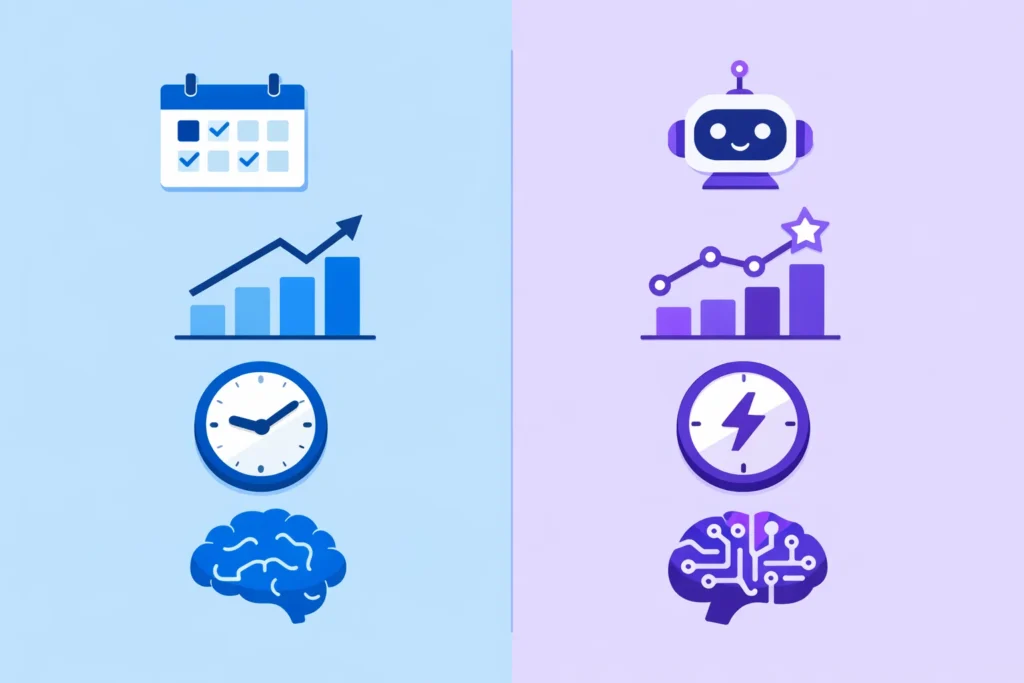
Traditional social media management tools are built mainly for scheduling, publishing, and basic reporting. AI marketing tools for social media add another layer: they help generate content, improve creative decisions, and surface insights automatically—so you’re not only managing social media, you’re actively optimizing it.
Here’s a simple comparison you can include as a table for quick scanning.
| Feature | Traditional Social Media Tools | AI Marketing Tools for Social Media |
|---|---|---|
| Manual scheduling | Mostly manual: you choose times and queue posts | Smart scheduling: suggests optimal times and automates queues |
| Analytics depth | Basic metrics (likes, comments, reach) | Deeper insights + pattern detection + recommendations |
| Time efficiency | Saves time only on posting/scheduling | Saves time on ideation + captions + scheduling + analysis |
| Scalability | Works, but becomes time-heavy at scale | Designed to scale content output and decision-making |
If your main problem is simply “I need to schedule posts,” traditional tools may be enough. But if your bigger problem is “I need better content, better timing, and better results without doubling my workload,” AI tools typically win.
Common Mistakes When Using AI for Social Media Marketing
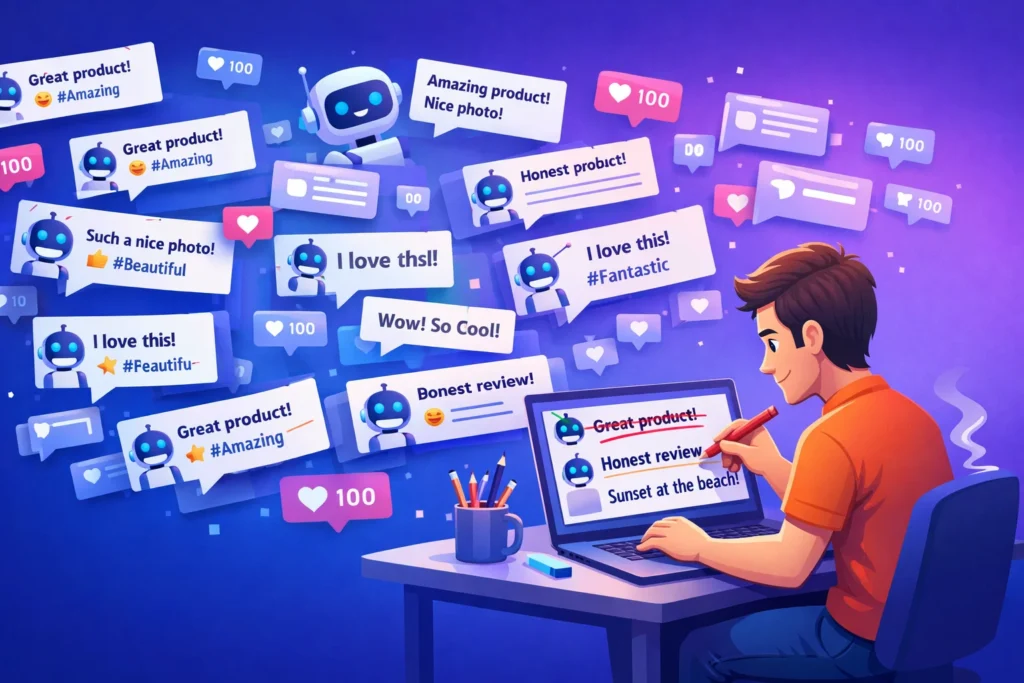
AI can speed up your workflow, but it can also hurt your brand if you use it without strategy. These are the most common mistakes that keep people from seeing real gains.
Over-automation
Automating everything often makes content feel robotic. Posting too frequently, recycling content too aggressively, or letting AI publish without review can reduce trust and engagement. AI should support consistency—not remove authenticity.
Generic content
AI outputs can sound the same across accounts when prompts are vague. If you don’t add your audience context, brand voice, and real examples, the content becomes “scroll-past” material. The fix is simple: provide better inputs and edit the final version.
Ignoring analytics
Many creators use AI for content creation but never review what actually performs. Without checking performance signals, you end up producing more content—but not better content. AI works best when you use insights to repeat winning topics and formats.
No human editing
Even strong AI tools need human polishing. Editing is where you add personality, real experience, and clarity. A quick final pass—tightening hooks, removing fluff, improving CTAs—makes the difference between “average AI post” and high-performing content.
Are AI Marketing Tools Worth It?
For most businesses and creators, AI tools are worth it when they save enough time—or improve performance enough—to justify their cost. The return is usually a mix of productivity gains and better marketing decisions.
ROI (Return on Investment)
AI tools pay off when they help you:
- create more content without hiring help
- improve engagement and reach
- shorten the time it takes to test what works
- reduce wasted spending on ads or ineffective content
If a tool saves you even 3–5 hours per week, it often justifies a monthly fee—especially if you’re running a business or monetizing your audience.
Productivity gains
The biggest benefit is speed. AI helps you:
- brainstorm faster
- write captions and scripts quicker
- repurpose content into multiple platforms
- stay consistent with scheduling
- understand performance without digging through dashboards
This can turn social media from a daily “task” into a repeatable system.
Small business use
For small businesses, AI is valuable because it replaces the need for multiple roles: copywriter, designer, content planner, and analyst. Even one good AI tool can help a small team compete with bigger brands by publishing consistently and improving message clarity.
Agencies vs solo creators
Solo creators benefit most from tools that combine content creation + scheduling + basic analytics, because simplicity matters.
Agencies and teams benefit most from tools that provide collaboration, approvals, reporting, and multi-account management—because workflow and scale matter.
In general, AI tools are most worth it for anyone who publishes frequently or manages multiple platforms. If you post rarely, a simpler setup may be enough until you increase volume.
Final Thoughts
AI marketing tools for social media aren’t magic—but they are a real advantage when you use them strategically. The right tools can help you create better content faster, post consistently without burnout, and make smarter decisions using performance data instead of guessing.
If you’re new to AI social media marketing, start simple: choose one tool that helps you generate content (captions, hooks, scripts) and one tool that helps you schedule and track results. Once your workflow is consistent, you can add more advanced tools for analytics, competitor research, or ad optimization.
To go deeper, explore our detailed reviews where we break down features, pricing, pros and cons, and who each tool is best for.
Frequently Asked Questions (FAQ)
What is the best AI tool for social media marketing?
The best AI tool depends on what you need most. If you want help with captions, hooks, and content repurposing, an AI writing assistant can be the biggest boost. If your main challenge is staying consistent, a scheduling tool with smart publishing and a content calendar is usually the best starting point. And if you manage multiple accounts or need reporting, choose a tool known for stronger analytics and team workflows. The most effective setup for many users is a simple combination: one tool for content creation + one tool for scheduling and tracking.
Are AI marketing tools free?
Some AI marketing tools offer free plans, but they usually come with limits—such as fewer scheduled posts, fewer exports, fewer AI generations, or restricted analytics. Free tools are useful to test workflows and get started, but most serious creators and businesses eventually upgrade for reliability, better automation, and deeper insights. A good approach is to start free, prove the tool saves time or improves results, and then upgrade only when the value is clear.
Can AI fully automate social media?
AI can automate parts of social media marketing—like generating drafts, scheduling posts, and tracking performance—but fully automated social media is rarely a good idea. Social platforms reward authenticity, relevance, and timing, and that still requires human judgment. AI works best as a co-pilot: it speeds up production and suggests improvements, while you handle final editing, brand voice, community interaction, and strategy.
Do AI tools increase engagement?
They can, but only when used correctly. AI tools increase engagement by helping you test more hooks, refine captions, improve posting consistency, and learn what topics and formats your audience actually responds to. However, engagement usually drops when AI content is posted without editing or when automation makes your feed feel generic. The biggest results come when AI is used to support a human-led content strategy.
Which AI tool is best for Instagram and TikTok?
For Instagram and TikTok, tools that support short-form content workflows tend to perform best—especially those that help with hooks, scripts, captions, and consistent publishing. Instagram also benefits from visual planning, templates, and scheduling, while TikTok benefits from script generation, trend ideation, and fast content iteration. The best choice depends on whether your biggest bottleneck is creating video ideas/scripts or staying consistent with scheduling and posting.

Akhtar Zaid specializes in traffic tools, lead generation systems, and online business programs. He evaluates offers based on long-term usefulness, learning curve, and value for money, not just flashy features.