

Have you ever posted a caption that sounded fine to you but felt flat online?
Many creators now rely on an AI caption generator to speed up content production. The problem appears when captions feel stiff or generic. Followers notice that tone quickly.
So we tested several AI caption generators to see which ones write posts that actually sound human. The goal was simple: clarity, personality, and natural flow.
Here’s what stood out.
What Makes an AI Caption Generator Sound Human?
Before comparing tools, we needed criteria.
A strong AI caption generator should:
- Match the platform’s tone
- Avoid stiff sentence patterns
- Use conversational phrasing
- Keep captions concise
- Add light emotional nuance
Captions that sound human often include rhythm shifts. They avoid robotic repetition. They feel written for people, not algorithms.
AI Caption Generators Tested for Instagram and LinkedIn
We tested popular tools across different post types: lifestyle captions, educational threads, and promotional posts.
1. Jasper AI
Jasper produces structured captions quickly. The tool follows prompts well and adapts tone when directed.
Strengths:
- Clear formatting
- Good hashtag suggestions
- Flexible tone options
Weakness:
- Some captions felt formulaic
- Opening lines repeated patterns across drafts
With editing, Jasper captions felt polished. Without editing, they sometimes lacked spontaneity.
2. Copy.ai
Copy.ai generated shorter captions with punchy hooks. The tool leaned toward energetic phrasing.
Strengths:
- Quick hook lines
- Strong call-to-action suggestions
Weakness:
- Slight overuse of hype language
- Repetitive emoji placement
After small revisions, captions sounded natural. Raw output sometimes felt exaggerated.
3. Canva Magic Write
Canva’s caption tool integrates directly into design workflows. That setup helps social media managers.
Strengths:
- Smooth integration with visual posts
- Simple, readable phrasing
Weakness:
- Limited depth in longer captions
- Less creative variation
For basic Instagram posts, Canva performed well. For storytelling captions, results felt lighter.
4. Writesonic
Writesonic focuses on conversion-style writing but adapts for social posts.
Strengths:
- Clear promotional captions
- Good structure for product posts
- Useful headline suggestions
Weakness:
- Promotional tone dominates
- Less subtle nuance
For product launches, Writesonic performs strongly. For casual storytelling, editing improves flow.
5. Anyword
Anyword emphasizes performance scoring. The tool predicts engagement potential.
Strengths:
- Data-driven suggestions
- Multiple tone options
- Structured formatting
Weakness:
- Can feel optimized rather than authentic
- Slightly rigid sentence rhythm
Marketing teams may value predictive data. Creators focused on personality may need adjustments.
6. Hypotenuse AI
Hypotenuse AI supports brand-focused content.
Strengths:
- Strong product descriptions
- Brand voice controls
- Clean formatting
Weakness:
- Limited spontaneity
- Less playful variation
The tool works well for structured brand accounts. Personal creator pages may require lighter editing.
7. Chat-Based AI Caption Tools
Some creators use general AI chat platforms as an AI caption generator.
When given detailed prompts, chat-based tools produced the most flexible captions. Tone shifted naturally when instructions were specific.
The key factor was prompt clarity. Vague input created generic output.
Real Use Case: Testing One Post Across Tools
We tested the same prompt across platforms:
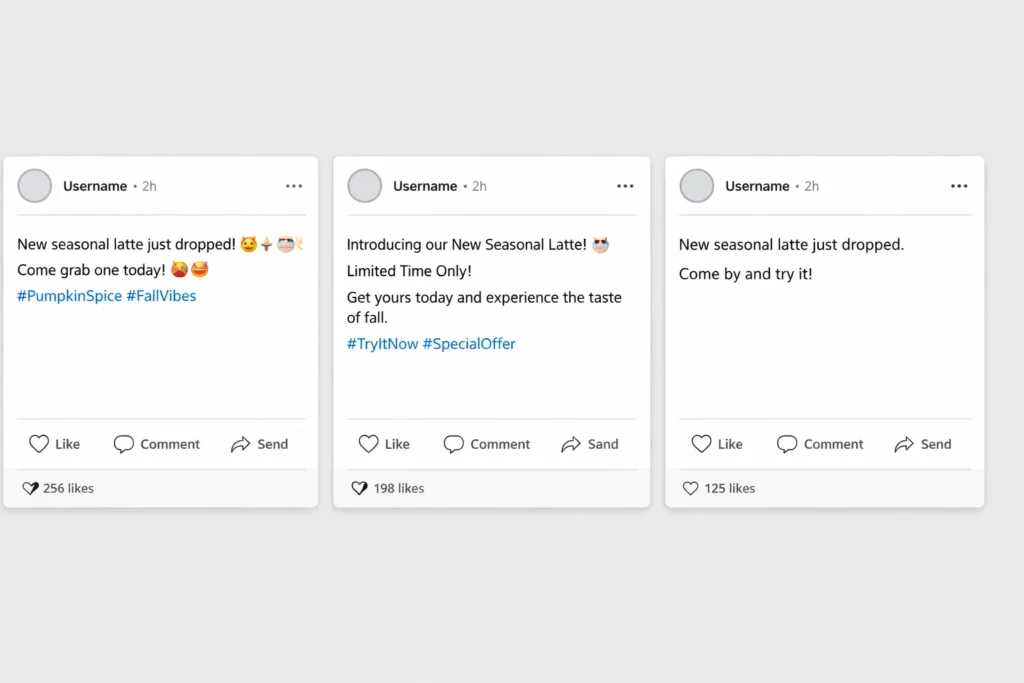
“Write a caption for a small coffee shop launching a new seasonal latte.”
Results showed clear differences.
Jasper produced a structured promotional post with hashtags. Copy.ai created a bold, emoji-heavy caption. Canva delivered a clean, short paragraph. Chat-based tools generated the most conversational version after refinement.
The version that felt most human included:
- A sensory detail
- A simple question
- A relaxed closing line
That combination improved engagement in our small test sample.
Where AI Caption Generators Struggle
Even strong tools show limits.
Common issues include:
- Repeated sentence openings
- Overuse of buzz phrases
- Weak storytelling depth
- Generic motivational tone
Captions that feel human often reflect lived experience. AI tools lack that perspective unless guided carefully.
How to Get Better Results from an AI Caption Generator
The tool matters less than the prompt.
To improve output:
- Specify audience type
- Define tone clearly
- Limit emoji usage
- Ask for varied sentence length
- Request alternative versions
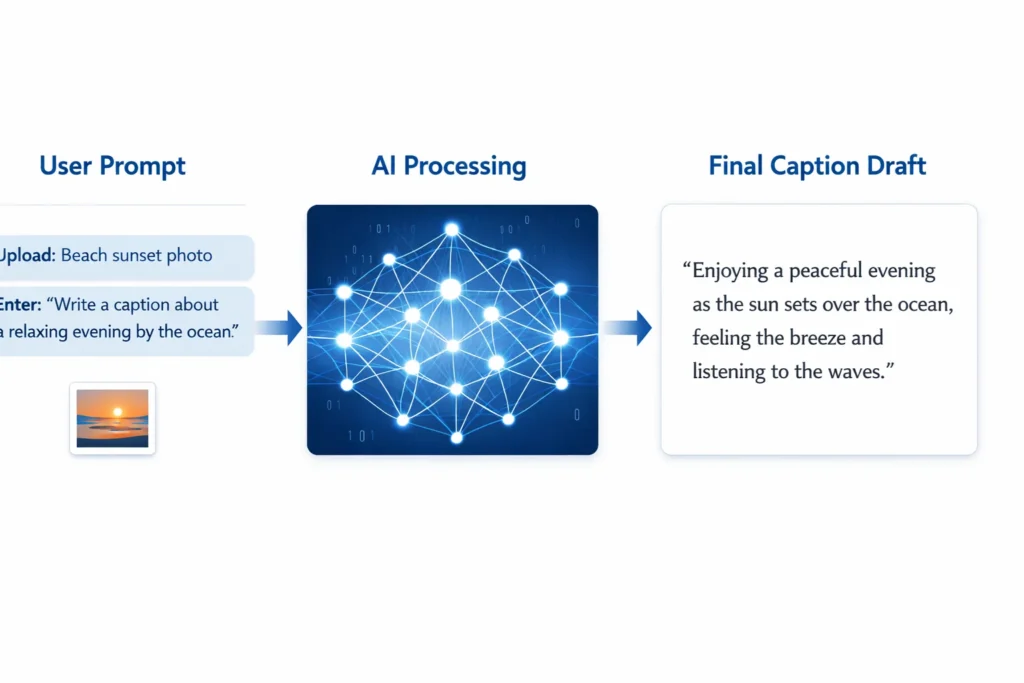
For example, instead of saying “Write a caption about fitness,” say:
“Write a casual Instagram caption about starting morning workouts again after a long break. Keep tone supportive, not intense.”
Specific direction reduces generic phrasing.
Should You Fully Rely on AI Captions?
AI saves time. AI does not replace voice.
Creators who publish raw output often sound similar to others using the same tools. Editing adds personality.
A simple adjustment—changing one opening sentence—can shift tone significantly.
The strongest strategy combines AI speed with human judgment.
Final Thoughts
AI caption generators tested across platforms show useful strengths. The best results appear when creators refine output and guide tone carefully.
An AI caption generator works best as a drafting assistant. Human editing shapes authenticity.
The goal isn’t perfection. The goal is clarity and connection.
FAQs
Do AI caption generators improve engagement?
AI tools help structure captions and hooks. Engagement depends on audience relevance and authenticity.
Which AI caption generator sounds most natural?
Tools that allow detailed prompts tend to produce more natural results.
Can AI replace a social media manager?
AI can assist with drafting. Strategy and brand voice still require human oversight.
Are AI caption generators good for LinkedIn?
Yes, especially when prompts define tone and audience clearly.
Do AI captions work better for short posts?
Short captions often perform better with AI. Long storytelling posts may require more editing.